GO2cam implements parametric design principles in the creation process. As a geometrical element/object is created, the history of creation is kept in a database. This methodology makes it possible for the selected element/object to have a link to all construction previously made. Also a history tree showing chronologically the operations for creation of a body part is also accessible and editable.
Parameterizing is a powerful functionality of GO2cam, you can find more information about it by 點擊這裡!
編輯實體有兩種方法:
-
使用 編輯元素 指令。
-
使用 控制 指令。
編輯元素
要編輯實體上的元素,您必須進入 編輯元素 指令 [1] 並且在 編輯樹 [2] will appear on the left side of the screen.
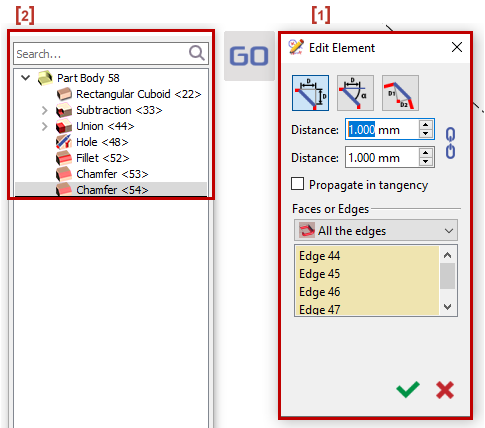
有各種方法可以進入編輯元素指令:
|
1. |
|
|
2. |
|
|
3. |
|
|
4. |
|
|
5. |
|
透過 雙擊 元素的面,您將會被帶到 對應的行 在樹上。
您也可以在樹上編輯其他元素,如下所示:
您可以選擇 右鍵點擊 > 編輯元素 或 雙擊 其他元素進行修改,它會重新開啟 創建它的對話框 .
構造點可見
:免費點(
綠色
)、鎖定點(
紅色
)、選定點(
高亮顯示
)
您也可以
編輯
直接在尺寸中編輯數值。
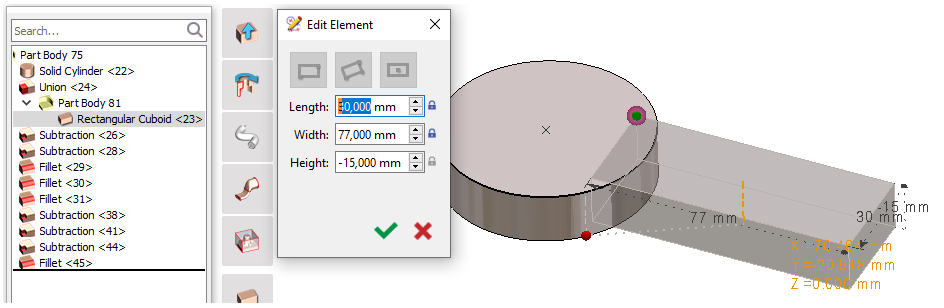
|
|

控制
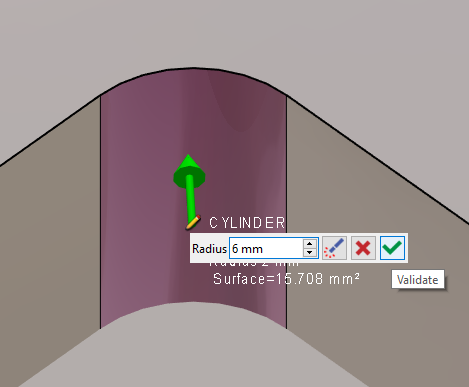
您也可以使用 控制指令 .
您應該確保控制指令設置如下:

|
|
|
|
|
|
|
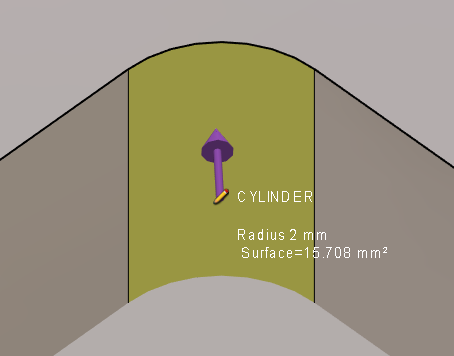
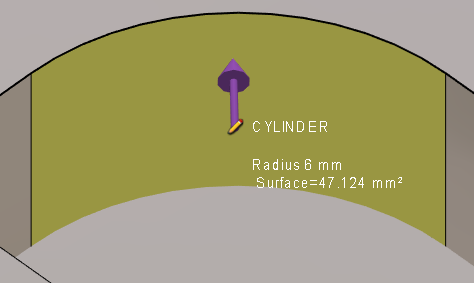
這裡我們有圓柱體的新半徑。 |
|
|
您可以觀看關於如何使用控制指令編輯銑削實體的影片:
|
此影片展示了 GO2cam 在實體編輯,特別是公差設定方面的優勢之一: 
|
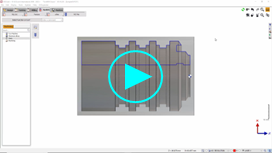
您可以觀看關於車削實體修改和公差設定的影片:
|