GO2cam implements parametric design principles in the creation process. As a geometrical element/object is created, the history of creation is kept in a database. This methodology makes it possible for the selected element/object to have a link to all construction previously made. Also a history tree showing chronologically the operations for creation of a body part is also accessible and editable.
Parameterizing is a powerful functionality of GO2cam, you can find more information about it by 点击这里!
有两种方法可以编辑实体:
-
使用 编辑元素 命令。
-
使用 控制 命令。
编辑元素
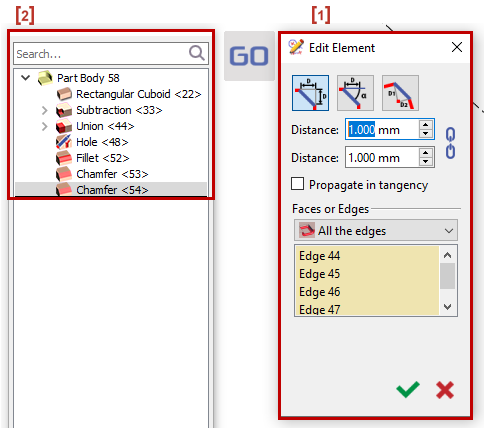
要编辑实体上的元素,您必须访问 编辑元素 命令 [1] 并且 编辑树 [2] will appear on the left side of the screen.
有多种方法可以访问编辑元素命令:
|
1. |
|
|
2. |
|
|
3. |
|
|
4. |
|
|
5. |
|
通过 双击 元素的面上,您将被带到 对应的行 在树上。
您也可以在树上编辑其他元素,如下所示:
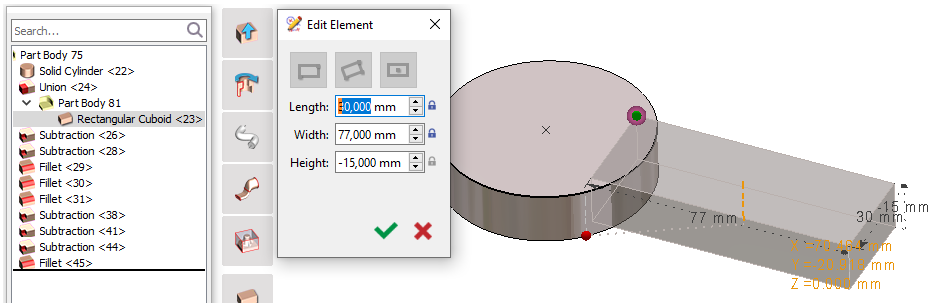
您可以 右键点击 > 编辑元素 或 双击 其他元素进行修改,它会重新打开 创建它的对话框 .
构造点可见
:对自由点应用颜色约定(
绿色
),锁定点(
红色
),选定点(
高亮显示
)
您也可以
编辑
直接在尺寸中修改值。
|
|

控制
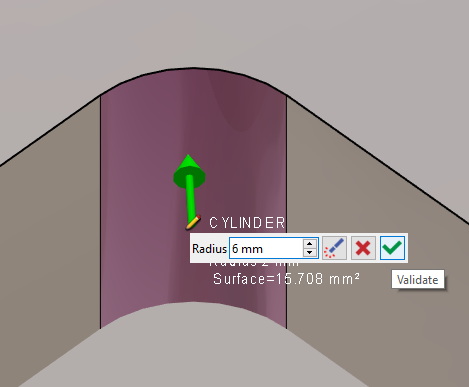
您也可以使用 控制命令 .
确保控制命令设置如下:

|
|
|
|
|
|
|
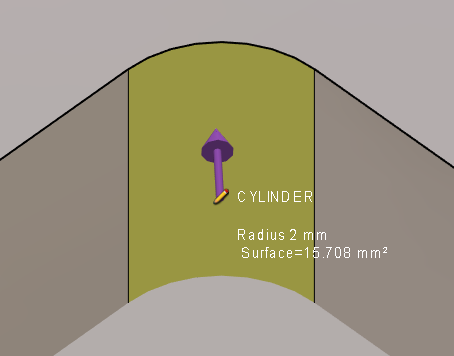
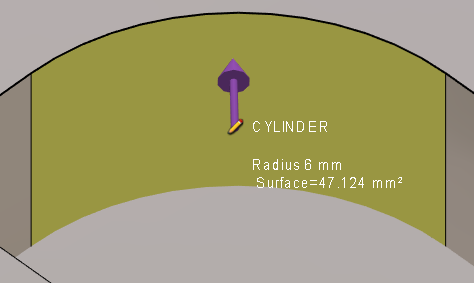
这里我们有了圆柱体的新半径。 |
|
|
您可以在此处观看有关如何使用控制命令编辑铣削实体的视频:
|
此视频展示了 GO2cam 在实体编辑方面,尤其是公差处理方面的一大优势: 
|
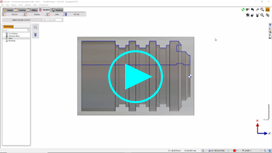
您可以在此处观看有关车削实体修改和公差处理的视频:
|