介绍

|
通过在实体上简单单击即可创建直线切割和锥度切割的轮廓。 |
创建直线或锥度轮廓
|
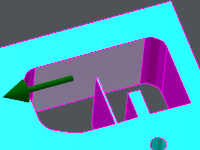
单击起始面。 箭头显示加工方向。 您可以单击箭头反转方向。 |
|
|
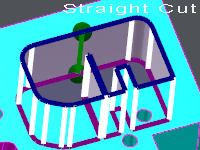
单击结束面;如果单击同一面,轮廓将闭合。 将显示轮廓的预可视化:屏幕上会显示直线切割或锥度切割的信息。 |
|
您可以更改轮廓的起始/结束面: 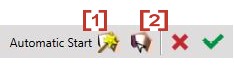
|
[1] Automatic selection: if you click this icon, GO2cam selects the best face for the starting face. [2] Manual selection: you can click any face of the solid profile. |
|
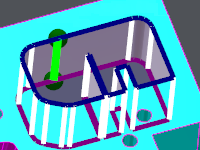
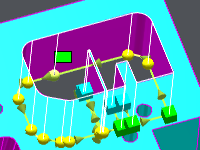
您也可以移动起始点和/或结束点: 只需单击绿色元素并沿面移动它。将其放置在正确的位置。 |
|
|
使用此按钮确认 [3] 或使用此按钮取消 [4] . 
确认后,将创建轮廓。 注意:
|
|
|
|