介绍
|

|
This command enables to create profiles for 4 axis machining by clicking the faces of the solid. 单击起始面和结束面,然后单击起点。将创建一个新的“双轮廓”实体,该实体将在创建螺纹点时被识别。 |
使用此功能

|
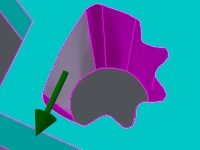
单击起始面。 箭头显示加工方向。 您可以单击箭头来反转方向。 |
|
|
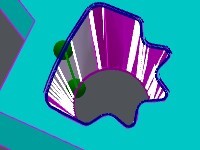
单击结束面;如果单击同一面,则轮廓将闭合。 将显示轮廓的预可视化,您可以在其中看到高轮廓和低轮廓之间的同步点。 |
|
|
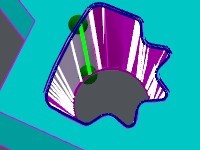
您可以更改轮廓的起始/结束面: [1] Automatic selection: if you click this icon, GO2cam selects the best face for the starting face. [2] Manual selection: you can click any face of the solid profile. 您还可以移动起点和/或终点: 只需单击绿色实体并沿面移动。将其放置在正确的位置。 |
|
|
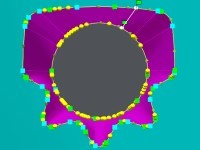
Validate with [4] or cancel with [3] . 验证后,将创建轮廓。在这种情况下,我们创建一种新类型的实体:“双轮廓”。 |
|
|
|
|
注意:
-
双轮廓将由自动螺纹点自动识别,
-
之后,您可以使用上下文弹出菜单(右键单击轮廓)进行编辑和修改。
-
加工选择更加简单:只需单击双轮廓即可!