概述
本指南提供了在 GO2cam Production 和 GO2cam Operator 环境中安装 NC Control 的分步说明。在继续之前,请确保您已安装 GO2cam Production 或 Operator 6.10 或更高版本。
安装步骤
|
步骤 |
描述 |
图像 |
|
1 |
GO2cam Production:
|

|
|
2 |
GO2cam Operator:
|
|
|
3 |
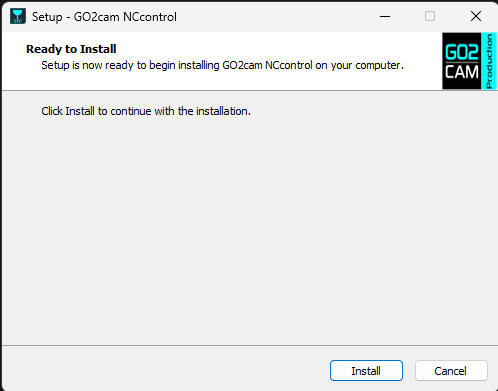
双击 NCcontrol_GO2cam_V6xx.exe 以启动设置。 |
|
|
4 |
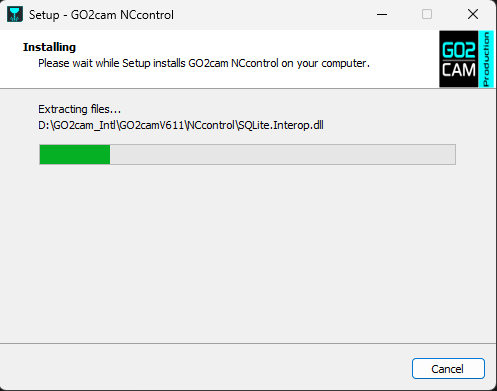
单击 安装 当提示时。 |
|
|
5 |
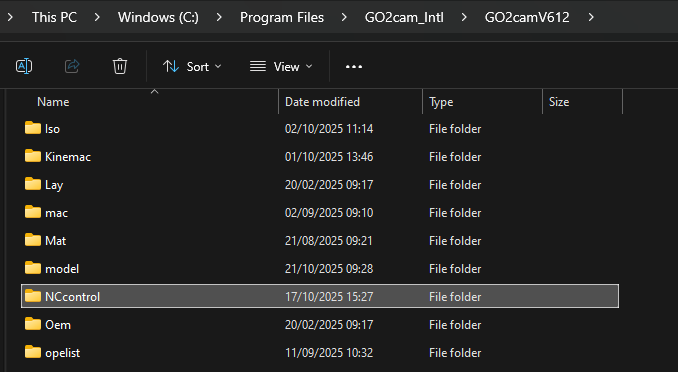
安装程序将在您的 GO2cam 安装目录中创建一个 NC Control 子目录(默认从 Windows 注册表中恢复,为 C:\Program files\GO2cam_Intl\Go2camV6xx ). |
|
-
在运行 NC Control 设置之前安装 GO2cam。
-
安装程序从 Windows 注册表中检测 GO2cam 安装目录。
-
NC Control 可在 GO2cam Production V6.10 或 GO2cam Operator V6.10 起使用。